
Official AIOU result links
Official-link check: 9 October 2026. Start with AIOU’s results page for web-based records or AIOU’s CMS guidance for the student portal. These links identify official services; this check does not confirm that results for every programme or semester have been announced.
After checking your official record, use the semester GPA calculator or CGPA calculator for planning. Enter the credit hours and grade points from your transcript. Combine semesters by credit hours rather than taking an unweighted average; the university’s official result and grading policy take precedence.
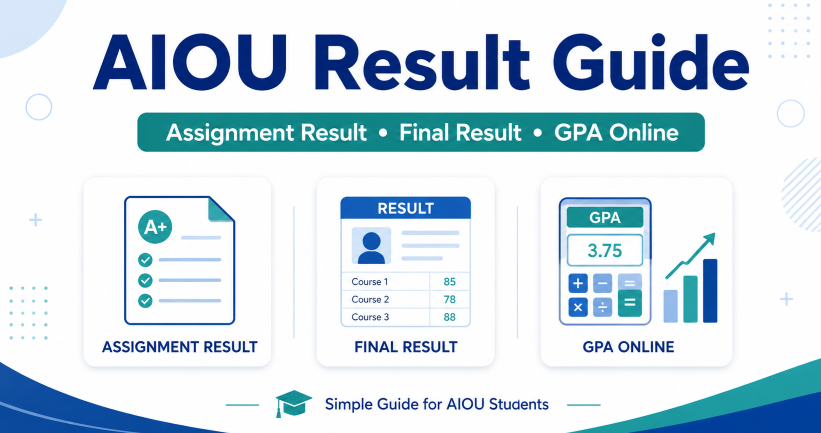
AIOU result is one of the most searched topics by Allama Iqbal Open University students in Pakistan. Students want to check assignment marks, final result, GPA, CGPA, semester result, and previous result records online.
This guide explains everything in simple words. You will learn how AIOU result works, how to check assignment result, how to check final result, how GPA is calculated, and what to do if your result is not showing.
If you are a beginner, do not worry. This article will guide you step by step.
Quick Summary of AIOU Result Services
| Result Service | What It Helps With |
|---|---|
| AIOU Assignment Result | Shows assignment marks |
| AIOU Final Result | Shows final exam and course result |
| AIOU GPA Calculator | Helps estimate GPA |
| AIOU CGPA | Shows overall academic performance |
| CMS Result | Student result inside CMS portal |
| Previous Result | Old semester result record |
| Result Card | Marks or grade record |
| Result Correction | Used when result details need correction |
AIOU students should check both assignment marks and final result. Assignments are part of academic performance, while final result shows the overall course status.
Read Also: AIOU Admission Autumn 2026: Last Date, Programs & Fee Guide
What Is AIOU Result?
AIOU result shows your performance in a course or semester. It may include assignment marks, final exam marks, total marks, grade, GPA, pass status, or result details.
The format depends on your program. Matric, FA, BA, Associate Degree, BS, B.Ed, diploma, and postgraduate programs may have different result styles.
For some students, the result appears as marks. For others, it appears as grades and GPA. This is why you should always check your result according to your own program and semester.
Do not compare your result format with another student from a different program.
AIOU Assignment Result Check Online
AIOU assignment result means the marks you receive for submitted assignments. These marks are important because assignments can affect your final performance.
Many students make one mistake. They submit assignments and then never check marks. Later, they only check the final result and become confused.
You should check assignment marks before the final result if they are available. This helps you confirm whether your assignments were marked correctly.
If your assignment result is missing, it may be due to late checking, upload delay, wrong submission, or a system update.
You may also like: AIOU Student Guide: Past Papers, Books PDF, Results and GPA
How to Check AIOU Assignment Result Online
The exact steps may change by semester or program, but the general process is simple.
| Step | What to Do |
|---|---|
| 1 | Open the official AIOU result or student portal |
| 2 | Find the Assignment Marks or Assignment Result option |
| 3 | Enter your roll number or required student details |
| 4 | Select semester or program if needed |
| 5 | View your assignment marks |
| 6 | Save a screenshot or PDF for record |
Always use your correct roll number, registration number, or CMS login details. A small typing mistake can show wrong or no result.
If marks are not showing, check again after some time. AIOU results and assignment marks are sometimes uploaded in stages.
Why AIOU Assignment Marks Matter
Assignment marks matter because they show your coursework performance. In many AIOU programs, assignments are part of the final course assessment.
Good assignment marks can support your final performance. Weak assignment marks can reduce your overall result.
For example, if two students get similar final exam marks, the student with better assignment performance may have a better overall result.
This is why you should not take assignments lightly. Write them carefully, submit them on time, and keep proof of submission.
AIOU Final Result Check Online
AIOU final result shows your complete course or semester performance after exams and result processing. It may include marks, grade, GPA, pass status, or course-wise result.
Students usually check final result after exams are completed and the university announces results officially.
You may need your roll number, registration number, or CMS login details to check the result.
Do not depend on screenshots shared in WhatsApp groups. Always check your own result from the official portal or CMS.
How to Check AIOU Final Result Online
Follow this simple method.
| Step | Action |
|---|---|
| 1 | Open the official AIOU result portal or CMS |
| 2 | Choose Results Detail or My Results |
| 3 | Enter your required details |
| 4 | Select semester if needed |
| 5 | Open course-wise result |
| 6 | Check marks, grade, and pass status |
| 7 | Download or screenshot your result |
After checking your result, save a copy. You may need it for next admission, job application, scholarship, or personal record.
If your result is declared but not showing, do not panic. First recheck your roll number and semester details.
AIOU CMS Result: What Students Should Know
AIOU CMS is used by many students for academic records. In CMS, students can view course details, results, and other academic information.
If you are a continuing student, your CMS login is important. Keep your username and password safe.
Do not use someone else’s email or phone number for your student account. You may need login access later for result, enrollment, objections, or academic updates.
If you forgot your CMS password, use the official password recovery option or contact official support.
AIOU Result Detail vs Assignment Result
Many students confuse assignment result with final result. Both are different.
| Type | Meaning |
|---|---|
| Assignment Result | Shows assignment marks only |
| Final Result | Shows complete course result |
| Result Detail | Shows course-wise marks or grades |
| GPA | Shows semester grade point average |
| CGPA | Shows overall grade point average |
Assignment result is only one part of your academic record. Final result gives a bigger picture of your performance.
If your assignment marks are good but final exam marks are low, your final result can still be affected.
What Information Appears in AIOU Result?
AIOU result may show different information depending on your program.
Common result details include:
- Student name
- Roll number
- Registration number
- Program name
- Semester
- Course code
- Course title
- Assignment marks
- Final exam marks
- Total marks
- Grade
- GPA
- Pass or fail status
If any personal detail is wrong, note it immediately. Wrong name, father name, or record details may need correction through the proper official process.
AIOU GPA Calculator: What It Means
AIOU GPA Calculator helps students estimate their Grade Point Average. GPA shows your academic performance for a semester.
CGPA shows your overall academic performance across multiple semesters.
A GPA calculator is useful for BS, Associate Degree, B.Ed, and other programs that follow a GPA or CGPA system.
However, a calculator gives an estimate only. Your official GPA is the one shown by AIOU on your result or transcript.
Simple GPA Formula for AIOU Students
The basic GPA formula is:
GPA = Total Quality Points ÷ Total Credit Hours
Quality Points = Grade Point × Credit Hours
Here is a simple example.
| Course | Credit Hours | Grade Point | Quality Points |
|---|---|---|---|
| Course 1 | 3 | 3.0 | 9.0 |
| Course 2 | 3 | 3.7 | 11.1 |
| Course 3 | 2 | 2.7 | 5.4 |
Total Credit Hours = 8
Total Quality Points = 25.5
GPA = 25.5 ÷ 8
GPA = 3.18
This is only a simple example. Use your official grade points and credit hours for accurate calculation.
AIOU GPA Grading Scheme Example
AIOU has used GPA and CGPA schemes for different programs and semesters. For newer students, the Autumn 2021 onward grading scheme is commonly mentioned in official prospectus documents.
Here is a simple reference table for understanding:
| Percentage | Letter Grade | GPA |
|---|---|---|
| 85% and above | A | 4.0 |
| 80% to below 85% | A- | 3.7 |
| 75% to below 80% | B+ | 3.3 |
| 70% to below 75% | B | 3.0 |
| 65% to below 70% | B- | 2.7 |
| 60% to below 65% | C+ | 2.3 |
| 55% to below 60% | C | 2.0 |
| 52% to below 55% | C- | 1.7 |
| 50% to below 52% | D | 1.0 |
| Below 50% | F | 0.0 |
Use this table for guidance only. Always follow your official result card, transcript, and program rules.
Difference Between GPA and CGPA
GPA and CGPA are not the same.
| Term | Meaning |
|---|---|
| GPA | Performance in one semester |
| CGPA | Overall performance in all semesters |
| Credit Hours | Weight of each course |
| Grade Point | Points assigned to your grade |
| Quality Points | Grade point multiplied by credit hours |
Example:
If your first semester GPA is 3.20 and second semester GPA is 3.00, your CGPA will combine both semesters according to credit hours.
CGPA is important for degree completion, scholarships, higher studies, and some job requirements.
How to Calculate AIOU CGPA
To calculate CGPA, you need the total quality points and total credit hours of all completed semesters.
Formula:
CGPA = Total Quality Points of All Semesters ÷ Total Credit Hours of All Semesters
Example:
| Semester | Credit Hours | Quality Points |
|---|---|---|
| Semester 1 | 15 | 48 |
| Semester 2 | 15 | 45 |
Total Credit Hours = 30
Total Quality Points = 93
CGPA = 93 ÷ 30
CGPA = 3.10
This gives you an estimated CGPA. Your official CGPA may differ if AIOU uses specific program rules.
AIOU Result Not Showing: Common Reasons
Sometimes students search their result but cannot find it. This can happen for many reasons.
| Problem | Possible Reason | What to Do |
|---|---|---|
| Result not found | Result not announced yet | Check again later |
| Wrong details | Incorrect roll number | Re-enter details carefully |
| Assignment marks missing | Marks not uploaded yet | Wait or contact support |
| Course missing | Processing delay | Check after some time |
| Login issue | Wrong CMS password | Reset password officially |
| Result error | Record correction needed | Use official correction process |
Do not assume failure just because your result is not showing. First confirm that the result has actually been announced.
What to Do If Assignment Marks Are Missing
Missing assignment marks are a common issue. It does not always mean your assignment was rejected.
First, check whether other students from your course can see their marks. If nobody can see marks, the upload may still be pending.
If other students can see marks but yours are missing, check your submission proof. Keep screenshots, receipts, LMS proof, or any confirmation you received.
Then contact the relevant tutor, regional office, or official support channel according to your program instructions.
Do not wait until final result time if your assignment marks are missing for too long.
What to Do If Final Result Has an Error
If your final result has an error, stay calm and collect proof first.
Useful proof can include:
- Roll number slip
- Assignment submission proof
- Fee challan
- Previous result screenshot
- CMS screenshot
- CNIC copy
- Course code details
Then follow the official result correction or rechecking process if available for your case.
Do not rely on random people who claim they can change your result. Result correction should only be handled through official channels.
AIOU Passing Marks: Important Note
Passing criteria can vary by program, semester, and assessment policy. Some older programs use marks-based grading, while newer programs may use GPA or CGPA systems.
For some programs, assignment marks and final exam marks both matter. For others, final exam passing rules may have specific conditions.
Always check your prospectus, result card, and official program policy.
A simple rule for students is this: do not aim only for passing marks. Try to score safely above the minimum so your final result is stronger.
How to Save Your AIOU Result Record
After checking your result, save it properly. Many students forget this and face problems later.
Use this simple method:
| Record | What to Save |
|---|---|
| Assignment Result | Screenshot or PDF |
| Final Result | PDF or screenshot |
| GPA/CGPA | Result detail screenshot |
| Roll Number | Exam record |
| Course Codes | Semester record |
| Correction Proof | Application copy if submitted |
Create a folder in your phone or laptop named “AIOU Result Record.” Save files by semester.
Example file name:
AIOU-Spring-2026-Final-Result.pdf
This makes future work easier.
Safe Result Checking Tips
Use official AIOU portals for result checking. Avoid websites that ask for your CMS password, CNIC photo, or unnecessary personal data.
Be careful with WhatsApp groups. Some links are old, unofficial, or unsafe.
Never pay someone to “increase marks” or “fix result secretly.” This is unsafe and can create serious problems.
For result correction, use the official method only.
FAQs About AIOU Result, Assignment Marks
You can check AIOU result through the official result portal or CMS. Enter your required student details and select the relevant result option.
Open the official AIOU result or student portal and choose the assignment marks option. Enter your roll number or required details to view marks.
Your result may not be announced yet, or you may have entered wrong details. Sometimes results are uploaded in stages, so check again later.
Assignment marks may be missing due to upload delay, tutor checking delay, wrong submission, or record issue. Keep submission proof and contact support if needed.
AIOU GPA shows your semester academic performance. It is calculated using grade points and credit hours.
AIOU CGPA shows your overall academic performance across multiple semesters. It combines GPA records according to credit hours.
Multiply each course grade point by its credit hours. Add all quality points and divide them by total credit hours.
No, an online GPA calculator gives an estimate. Your official GPA is the one shown by AIOU on your result or transcript.
Collect proof and follow the official result correction or rechecking process. Do not trust unofficial agents.
AIOU provides result services for current and previous results. Availability may depend on your semester and program record.
Yes, assignment marks can affect final performance in many programs. Always submit assignments carefully and check marks after submission.
Yes, always save your result as a screenshot or PDF. You may need it for admission, job applications, or future academic records.
Final Words
AIOU result checking becomes simple when you understand the difference between assignment result, final result, GPA, and CGPA.
Assignment result shows your coursework marks. Final result shows your complete course performance. GPA shows semester performance. CGPA shows overall academic progress.
Check your result from official sources, save your records, and do not trust fake result links. If your marks are missing or your result has an error, use the official correction or support process.
For better academic planning, keep your course codes, assignment marks, final results, and GPA records organized from the start of every semester.