
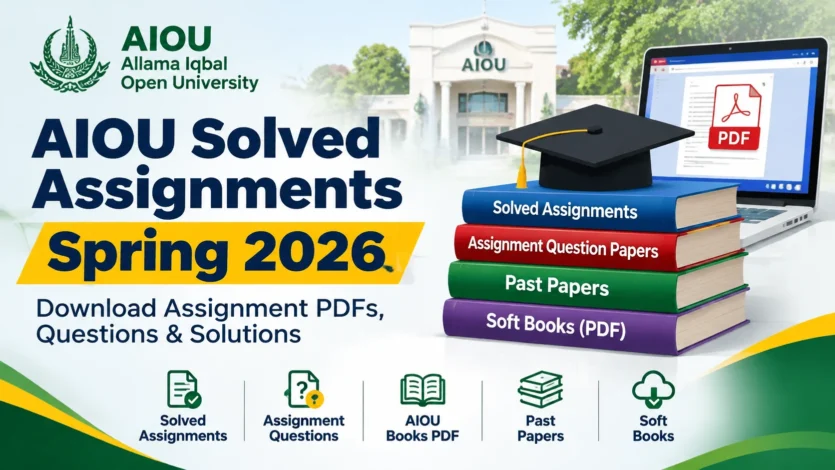
Finding the correct AIOU assignment can be confusing, especially when different course codes, programmes and semesters have separate question papers. Many students also struggle to find reliable assignment PDFs, previous examination papers and official course books.
If you are an Allama Iqbal Open University (AIOU) student, this guide brings the important study resources together. You will learn how to find solved assignments, download official question papers, search AIOU soft books, access past papers and prepare your assignments correctly.
Quick Answer: Where can I find AIOU solved assignments for Spring 2026?
You can find course-wise AIOU solved assignment samples through independent educational resource directories such as PakUni AIOU Solved Assignments. For official Spring 2026 assignment questions, visit the AIOU Assignment Question Papers portal. You can download official course books through the AIOU Soft Books portal and prepare for examinations using AIOU Past Papers. Always verify your course code, semester and assignment number before using any PDF.
Important semester update: Spring 2026 is a previous semester. AIOU has also published Autumn 2026 assignment information. This guide retains Spring 2026 resources for students searching for that semester, but current students should select the question papers and deadlines applicable to their own enrolment.
AIOU Solved Assignments Spring 2026 – Important Resources
You do not need to visit dozens of websites to find every study resource. Start with the following links.
| Study resource | Where to find it |
|---|---|
| Official Spring 2026 assignment questions | AIOU Question Papers |
| Solved assignment samples | All AIOU programmes – PakUni |
| AIOU Matric solved assignments | Matric assignments |
| AIOU FA and I.Com assignments | Intermediate assignments |
| BA and Associate Degree assignments | Bachelor assignments |
| BS assignments | BS assignments |
| B.Ed assignments | B.Ed assignments |
| Previous examination papers | AIOU Past Papers |
| Official course books | AIOU Soft Books |
| Assignment schedule | AIOU official schedule |
| Online assignment submission | AAGHI LMS |
Note: The solved-assignment and past-paper directories above are independent third-party resources, not official AIOU publications. Their files may cover different semesters and availability can change. Check the individual document before relying on it.
1. How to Find AIOU Solved Assignments for Spring 2026
AIOU offers different programmes, and each programme has its own course codes and assignment requirements.
For this reason, searching only by subject name is not always sufficient. You should search using your exact course code.
Step 1: Find your AIOU course code
Your course code can usually be found through your admission information, course registration details or CMS account.
For example, your course information may look like this:
| Information | Example |
|---|---|
| Programme | Matric |
| Subject | English |
| Course code | 207 |
| Semester | Spring 2026 |
| Assignment | Assignment 1 |
The example is for illustration. Always use the course code shown in your own registration details.
Step 2: Open the relevant assignment directory
Use the following resources according to your programme:
- Matric solved assignments
- FA and I.Com solved assignments
- BA and Associate Degree assignments
- BS solved assignments
- B.Ed solved assignments
These directories provide course-code-based navigation. Some pages include assignment samples for multiple semesters, so check the semester label.
Step 3: Search using your course code
If the resource directory contains a search box, enter your course code.
For example, if your course code is 207, search for:
AIOU solved assignment 207 Spring 2026 PDF
This helps narrow down the available documents.
Step 4: Select the correct assignment number
Some courses require more than one assignment.
Check whether you need:
- Assignment 1
- Assignment 2
- Assignment 3
- Assignment 4
The number of assignments depends on the applicable course and programme requirements.
Step 5: Verify the PDF
Before using a solved assignment, compare its questions with the official question paper.
Check the course code, semester, assignment number and question wording.
This is particularly important when an online resource contains assignments from previous semesters.
2. Download Official AIOU Assignment Question Papers Spring 2026
The official AIOU website should be your first choice when looking for original assignment questions.
AIOU maintains an Assignment Question Papers section containing semester-based assignment resources.
<text> </text>
Official link:
Download AIOU Assignment Question Papers
The university’s assignment section includes programme categories such as:
- SSC and Matric
- HSSC and Intermediate
- Arabic and certificate programmes
- Associate Degree
- ADC and ADB
- BS programmes
- B.Ed
- BBA
- Postgraduate programmes
How to download AIOU assignment question papers
- Visit the official AIOU assignment page.
- Locate Semester Spring 2026.
- Select your programme category.
- Find the relevant course or course code.
- Open the available question paper.
- Download and save the PDF.
- Check that the document matches your registered course.
You can also find the assignment covering form and instructions for writing assignments on the official page.
Official question papers versus solved assignments
It is important to understand the difference between these two documents.
| Official question paper | Solved assignment |
|---|---|
| Issued through AIOU | Usually prepared by independent contributors |
| Contains assignment questions | Contains suggested answers |
| Used to understand the actual task | Used as a learning reference |
| Official university document | Not necessarily university-approved |
For accurate assignment preparation, always follow the original AIOU question paper.
3. AIOU Solved Assignment PDF – Programme-Wise Resources
Students often search for assignment solutions according to their education level. The following directory links can help you locate relevant course-code resources.
AIOU Matric solved assignments
Matric students can use the programme-wise directory to search for their relevant course codes.
Explore AIOU Matric Solved Assignments
AIOU FA and I.Com solved assignments
Intermediate students can use the FA and I.Com assignment directory to find available course-wise samples.
Explore AIOU Intermediate Solved Assignments
AIOU BA and Associate Degree assignments
Students enrolled in BA, ADA, ADC and related programmes can explore the Bachelor assignment directory.
Explore AIOU Bachelor Solved Assignments
AIOU BS solved assignments
BS students can check the separate directory for available course-wise assignment resources.
Explore AIOU BS Solved Assignments
AIOU B.Ed solved assignments
B.Ed students can use the dedicated directory to locate available assignment samples.
Explore AIOU B.Ed Solved Assignments
Important: These are independent study-resource directories. They are not a guarantee that every course has a verified Spring 2026 solution. Confirm each file against your original assignment questions.
4. AIOU Past Papers – Download Previous Examination Papers
Assignments and examination papers serve different purposes.
Assignments are part of continuous academic assessment, while past papers help students prepare for their final examinations.
If you are studying for an upcoming AIOU examination, reviewing previous papers can help you understand:
- The structure of examination questions.
- Commonly tested topics.
- The style of descriptive questions.
- Important concepts from course books.
- How to organise answers under examination conditions.
Where to find AIOU past papers?
You can use this independent study-resource directory:
It provides a separate resource section for previous examination papers.
How to use past papers effectively
Follow this simple process:
- Find your course code.
- Select the relevant subject.
- Open available previous examination papers.
- Review the questions.
- Identify topics that appear across multiple papers.
- Consult your official course book.
- Practise writing answers within a reasonable time.
Do not assume that questions will be repeated exactly. Past papers are preparation resources, not predictions of the next examination.
Past papers versus solved assignments
| Feature | Past papers | Solved assignments |
|---|---|---|
| Main purpose | Examination preparation | Assignment preparation |
| Content | Previous exam questions | Suggested assignment answers |
| Course relevance | Subject and examination code | Course and semester |
| Best use | Practice and revision | Understanding assignment questions |
| Verification | Check course and exam pattern | Check semester and assignment number |
5. AIOU Soft Books – Download Official Books PDF
AIOU soft books are digital course materials provided through the university’s online resources.
They are particularly useful for distance-learning students who need to access their course content from home.
Official AIOU Soft Books portal:
How to download AIOU books PDF
- Open the official Soft Books portal.
- Select the relevant programme.
- Search for your course code.
- Review the available study material.
- Open the relevant book or study guide.
- Download the available file.
Some course materials may be available through different university pages or formats. If you cannot find a book, check the course code and consult the relevant university resource.
Why should students use official AIOU books?
Official study material helps students understand the course syllabus and prepare relevant answers.
You can use these books to:
- Understand assignment questions.
- Find definitions and explanations.
- Prepare descriptive answers.
- Review important concepts.
- Study for final examinations.
- Improve your subject knowledge.
Difference between AIOU books and solved assignments
| AIOU books PDF | Solved assignments PDF |
|---|---|
| Provides course learning material | Provides suggested assignment answers |
| Published through university resources | Usually prepared by third parties |
| Helps understand concepts | Helps understand possible answer structure |
| Useful throughout the course | Relevant to a particular assignment |
A good approach is to read the relevant textbook chapter before preparing your assignment.
6. How to Prepare AIOU Assignments Using Books and Solutions
Downloading a solved assignment does not mean you should copy its answers directly.
Instead, use available solutions to understand the question, answer structure and important concepts.
Here is a practical method.
Step 1: Understand the assignment question
Read the complete question and identify what it requires.
For example:
Question: Explain the importance of distance education in Pakistan.
Your answer could include:
- Meaning of distance education.
- Importance of accessible education.
- Opportunities for working students.
- Benefits for students in remote areas.
- Challenges of distance learning.
- Relevant examples.
Step 2: Read the relevant AIOU book
Find the chapter related to your question.
Read the relevant section and make notes of the important points.
Step 3: Prepare an outline
Organise your answer before writing.
| Answer section | What to include |
|---|---|
| Introduction | Brief explanation of the topic |
| Main discussion | Relevant concepts and arguments |
| Examples | Practical examples |
| Analysis | Your understanding |
| Conclusion | Summary of the main points |
Step 4: Write in your own words
Use simple and clear language.
Avoid copying complete paragraphs from online solutions or textbooks.
Step 5: Review your assignment
Before submission, make sure that:
- Every question has been answered.
- All parts of each question are covered.
- The answers are relevant.
- The document follows the required format.
- Your work is original.
- The correct course code and assignment number are shown.
7. AIOU Assignment Submission Through AAGHI LMS
AAGHI LMS is the university’s learning management system used for online learning activities and assignment submission for applicable programmes.
Official portal:
According to AIOU’s official FAQs, students enrolled in BS, B.Ed, MA/MSc distance-learning programmes and equivalent programmes are required to upload assignments through AAGHI LMS. SSC and HSSC assignments are submitted to tutors.
Always confirm the submission method applicable to your programme.
Steps to upload an assignment
- Open the AAGHI LMS portal.
- Select the appropriate student login.
- Enter your university-provided credentials.
- Open your relevant course.
- Find the assignment activity.
- Select the correct assignment.
- Upload your completed document.
- Follow the on-screen submission instructions.
- Check the submission status.
What if your course is missing from AAGHI LMS?
AIOU explains that courses are updated on AAGHI LMS after admission confirmation.
If your course does not appear, check your admission status and contact your concerned regional campus if the problem continues.
Official student support:
Read AIOU Frequently Asked Questions
8. How to Check AIOU Tutor Information
Your assigned tutor can provide academic guidance and information relevant to your course.
AIOU provides tutor information through its CMS system.
Steps to check your tutor
- Open the AIOU CMS portal.
- Log in with your university credentials.
- Navigate to Academic Record.
- Open My Tutors.
- Review the available tutor information.
- Check the relevant course details.
If tutor information is unavailable, contact your concerned AIOU regional campus.
You can also use the official AIOU regional offices directory to find regional support.
9. Common Problems When Downloading AIOU Assignment PDFs
Students sometimes encounter problems when downloading assignment documents or accessing online resources.
The following table provides practical solutions.
| Problem | Recommended solution |
|---|---|
| PDF does not open | Download again or use another PDF reader |
| Wrong course code | Check your CMS enrolment details |
| Assignment belongs to another semester | Verify the semester on the original paper |
| Solved answers do not match | Compare with the official questions |
| Book PDF is unavailable | Search the official Soft Books portal again |
| Assignment not visible on LMS | Check admission confirmation |
| LMS password not working | Use the official password recovery facility |
| Tutor information missing | Contact your regional campus |
| Assignment submission not recorded | Check LMS status and contact the university |
How to avoid downloading incorrect assignments
Always check these five details:
- Programme name.
- Course code.
- Semester.
- Assignment number.
- Question paper version.
A document from Spring 2025 should not automatically be used for Spring 2026.
10. Tips for AIOU Students
Good assignment preparation requires organisation and regular study.
Here are some practical suggestions:
Keep course codes organised. Maintain a list of your registered courses and their respective codes.
Download official books early. Find your course material through the university’s Soft Books portal.
Check university announcements. Follow the official assignment schedule and programme-specific instructions.
Use past papers for revision. Practise answering questions instead of simply reading previous papers.
Use solved assignments as references. Learn from answer structure and explanations, but prepare your own work.
Keep digital copies. Save assignment documents and submission confirmations in separate folders.
Protect your account. Never share your CMS or LMS password with unofficial assignment websites or unknown individuals.
Frequently Asked Questions – AIOU Solved Assignments
You can browse independent course-wise assignment resources through PakUni’s AIOU assignment directory. For original assignment questions, use the official AIOU question paper portal.
Find your course code through your admission or CMS details. Search the relevant assignment directory using that code, then check the semester and assignment number before downloading.
Visit the official AIOU assignment question papers portal for original questions. Independent educational directories may also provide suggested solutions and assignment samples.
Use the official AIOU Soft Books portal. Search using your programme or course code to find available study materials.
You can browse AIOU past papers on PakUni. Check the course code and examination relevance before using a previous paper.
You should not submit copied work as your own. Use solved assignments to understand the questions and answer structure, then prepare original answers following AIOU’s instructions.
Visit AAGHI LMS, log in with your university-provided credentials, open the relevant course and follow the assignment submission instructions. Submission methods differ by programme.
Not necessarily. Assignment questions can differ between semesters. Always use the question paper issued for your own enrolled semester.
Conclusion
Finding the correct AIOU solved assignment becomes easier when you know your programme, course code and semester.
For Spring 2026 resources, start with the official AIOU assignment question papers, use relevant course books and compare any suggested solutions with the original questions.
You can also use the independent assignment and past-paper directories linked in this guide to explore available study resources.
For current students, always check the latest AIOU assignment schedule, AAGHI LMS instructions and official announcements before submitting coursework.
Bookmark SLiMS.pk for more AIOU assignment resources, past papers, student guides, online calculators and educational information for students across Pakistan.